Tailscale VPN: Connect Your Own Services on Your Own Infrastructure
AI . Network . Personal . Security . ToolingProxmox in the data center, a laptop in the home office, a Raspberry Pi at the edge of a field, and a DGX Spark for inference: your own hardware is rarely in one place. NAT, firewalls, and dynamic IPs separate the devices. Manual WireGuard means: exchanging keys, maintaining IPs, updating firewall rules.
Tailscale builds on WireGuard and turns that into a setup in minutes. We use the Tailscale protocol with one important difference: we host the control plane ourselves. Headscale is the open-source drop-in replacement for it.
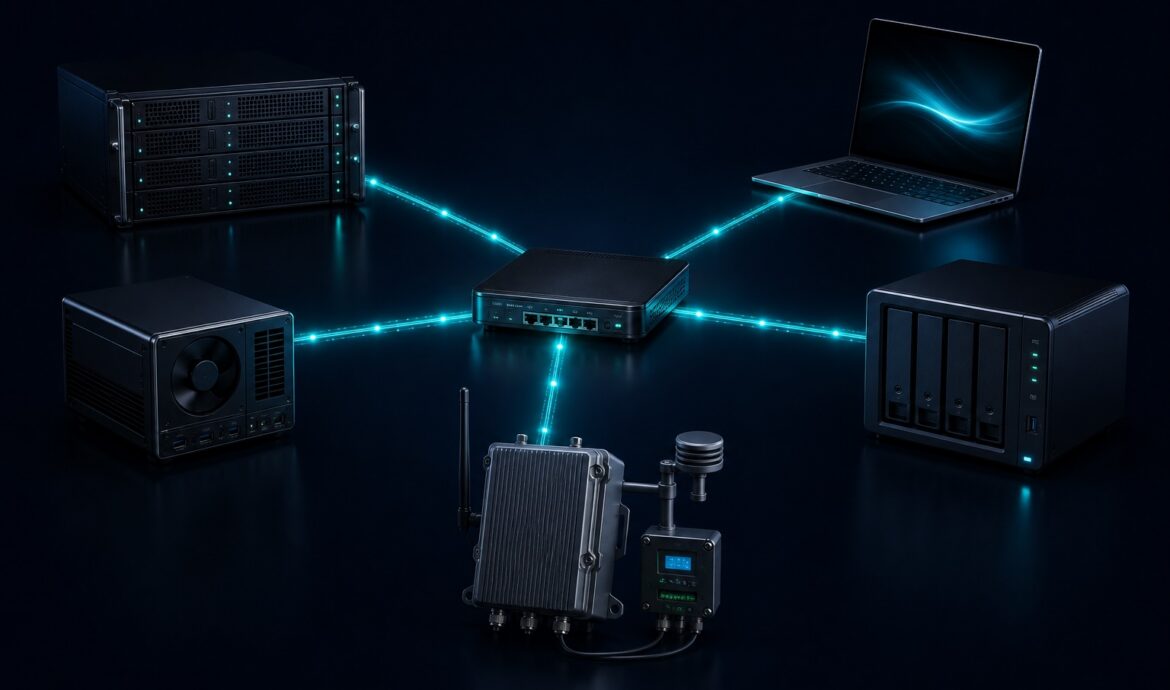
Result: Proxmox hosts, external laptops, IoT devices like a solar charge controller, Raspberry Pi edge nodes, and the DGX Spark node all hang in the same private network. Local AI can be used directly in web applications – without opening ports to the internet.
The Problem: Your Own Infrastructure, Distributed Networks
If you run your own hardware, you know this:
- A Proxmox host in the data center.
- A GitLab runner on a VM.
- A DGX Spark node for inference.
- A Raspberry Pi somewhere outside that reads out a solar charge controller.
- Your laptop from the home office or on the road.
The machines sit behind a NAT, have dynamic IPs, or live in foreign networks. You want them to talk to each other as if they were in the same LAN. Without Tailscale that means: exchanging keys, distributing IPs, maintaining firewall rules. With every new machine, the game starts over.
Tailscale at a Glance
Tailscale takes WireGuard and adds the coordination: keys, IPs, DNS, NAT traversal. The client on each host connects to a central control plane. The actual data flows peer-to-peer – encrypted, without detours through external servers.
The protocol works. But we wanted to run the central control plane ourselves.
Headscale: Your Own Control Server
Headscale is an open-source project that implements the Tailscale control-plane API. We host it as a Docker container. The clients use the official Tailscale binaries, but register with our own server.
All commands you know from the Tailscale documentation – tailscale up, tailscale status, tailscale ssh, tailscale serve – work unchanged. The only difference is the --login-server option.
Registering a host:
tailscale up --login-server=https://<headscale-server> --accept-routes=true
tailscale status
Output, roughly:
100.64.0.1  host2           user@ linux   -
100.64.0.2  proxmox-01      user@ linux   -
100.64.0.3  dgx-spark      user@ linux   -
100.64.0.4  edge-solar-01  user@ linux   -
100.64.0.5  laptop-dev-01   user@ darwin  -
Each host gets a stable IP in the 100.64.0.0/10 range. MagicDNS provides real FQDNs like dgx-spark.<user>.<tailnet> – not just short names. For our services this feels like an internal network, no matter where the machines are. In configurations and certificates we work with names instead of IPs.
What We Have Connected
| Device | Role | Location | Tailscale name |
|---|---|---|---|
| proxmox-01 | Headscale control plane, Docker, Traefik | DC | proxmox-01 |
| proxmox-02 | Virtualization, GitLab runner, VMs | DC | proxmox-02 |
| dgx-spark | LLM inference, LiteLLM proxy | Home lab | dgx-spark |
| edge-solar-01 | IoT gateway: solar charge controller, monitoring | Edge / field | edge-solar-01 |
| laptop-dev-01 | Development, admin | Home office / mobile | laptop-dev-01 |
| laptop-dev-02 | Development | Home office / mobile | laptop-dev-02 |
The hosts talk via Tailscale IPs. Containers on the hosts use the host interface, without having Tailscale installed themselves.
Concrete Example: Review Bot, LiteLLM, and DGX Spark
Our GitLab review bot asks a language model for review comments. In the past, that could have run against a cloud API. Instead, it sends the request to a LiteLLM proxy that runs on the DGX Spark node:
http://dgx-spark:4000/v1/chat/completions
The bot itself runs on the Proxmox host. The LiteLLM proxy forwards the request to the local model on the DGX Spark. Everything happens in the 100.x.x.x network. No public port, no cloud dependency.
I describe exactly how we put together the review bot, LiteLLM, and the DGX Spark node in the next article.
Local AI in Web Applications
The same pattern allows integrating local models into web-based applications. A web app behind Traefik does not call a cloud API, but the LiteLLM proxy in your own network:
http://dgx-spark.<user>.<tailnet>:4000/v1/chat/completions
Thanks to MagicDNS, the name resolves in the Tailscale network. For the web app it feels like an internal service. For the model, inference runs on the DGX Spark node. Data stays in your own network, latency stays low, and external dependencies are absent.
ACLs: Who May Talk to Whom
Headscale takes over the Tailscale ACL syntax. We define per tag or per group who may reach which host and port.
{
  "acls": [
    {
      "action": "accept",
      "src": ["tag:review-bot"],
      "dst": ["tag:llm-proxy:4000"]
    },
    {
      "action": "accept",
      "src": ["group:developers"],
      "dst": ["tag:proxmox:22", "tag:edge-solar:80"]
    }
  ]
}
The review bot reaches the proxy. Developers may access Proxmox via SSH and fetch the status page of the solar Pi. A laptop without the right tag does not see the resource.
What Self-Hosting Means – and What It Does Not
With Headscale, keys and registration data stay in our infrastructure. We do not have to trust Tailscale Inc. to operate the control plane correctly. We have to take care of it ourselves.
That means:
- Own backups of the Headscale database.
- Own updates and maintenance.
- Own availability of the control plane. Existing connections survive an outage; new registrations do not.
Headscale is not a complete replacement for the Tailscale SaaS offering. Some features – like Tailscale Funnel – are not available or solved differently. Whoever needs public endpoints still puts a reverse proxy like Traefik with Let’s Encrypt in front.
When It Fits and When It Does Not
Tailscale plus Headscale pays off if you:
- run your own hardware at many locations,
- do not want an external cloud control plane,
- need to network between ten and a few hundred nodes,
- need ACLs and audit logs.
It gets unwieldy if you need thousands of anonymous clients or complex multi-region topologies with your own routing decisions. Then you fall back on classic WireGuard or IPsec.
Conclusion
With Tailscale we have a protocol that works, and with Headscale a control plane that belongs to us. The result is a private network that connects Proxmox, laptops, IoT devices like our solar charge controller, edge Pis, and GPU workloads on a DGX Spark. Without port forwarding, without public IPs for internal services.
If you still hand out WireGuard configs manually today, a look at Tailscale pays off. If the cloud control plane does not suit you, Headscale is the next step.
A review bot on a DGX Spark is just one example – more on that in the next article.
Are you using Tailscale or Headscale? What do you connect with it – and where do you see limits?
Leave a Reply