
Install CoreOS on Proxmox
Network . Tooling . Uncategorized . VirtualisierungSome words before we start…
Hello Blog, it’s been a while. I still have to deliver the last part of the Munin Plugin Development Series (Part 1, 2, 3).
Today I would like to write something about the Setup of a CoreOS Environment on Proxmox. Proxmox is a Debian based Distribution that bundles a Web UI for OpenVZ+KVM and some great Tools for Clustering and Multi-Tenancy Installations. I am using Proxmox as a Hosting Platform for some years now and I am still amazed about the stability and the way things work out so far. I plan to create another Series about things around Proxmox (e.g. Cluster Setup using Tinc/Live Migration of VMs and the overall Network Setup).
But now, let’s dive into the Topic…
VM Setup
My Proxmox Hosts uses private Networks, both for OpenVZ Containers as well as for KVM VMs.
Both private Networks have Internet Access via the Standard Linux IP Forwarding Functions.
Configuration is done via iptables, e.g. for our private KVM Network 10.10.0.0:
iptables -t nat -A POSTROUTING -s 10.10.0.0/24 -o eth0 -j SNAT --to ${EXT_IP}
Now, create a (KVM) VM in Proxmox. I picked 2 Cores and 2Gigs of RAM. Choose VirtIO for the Disk as well as the Network. This will provide much better Performance and works out of the Box, since CoreOS has build-in support for VirtIO.
The basic steps for the Setup are:
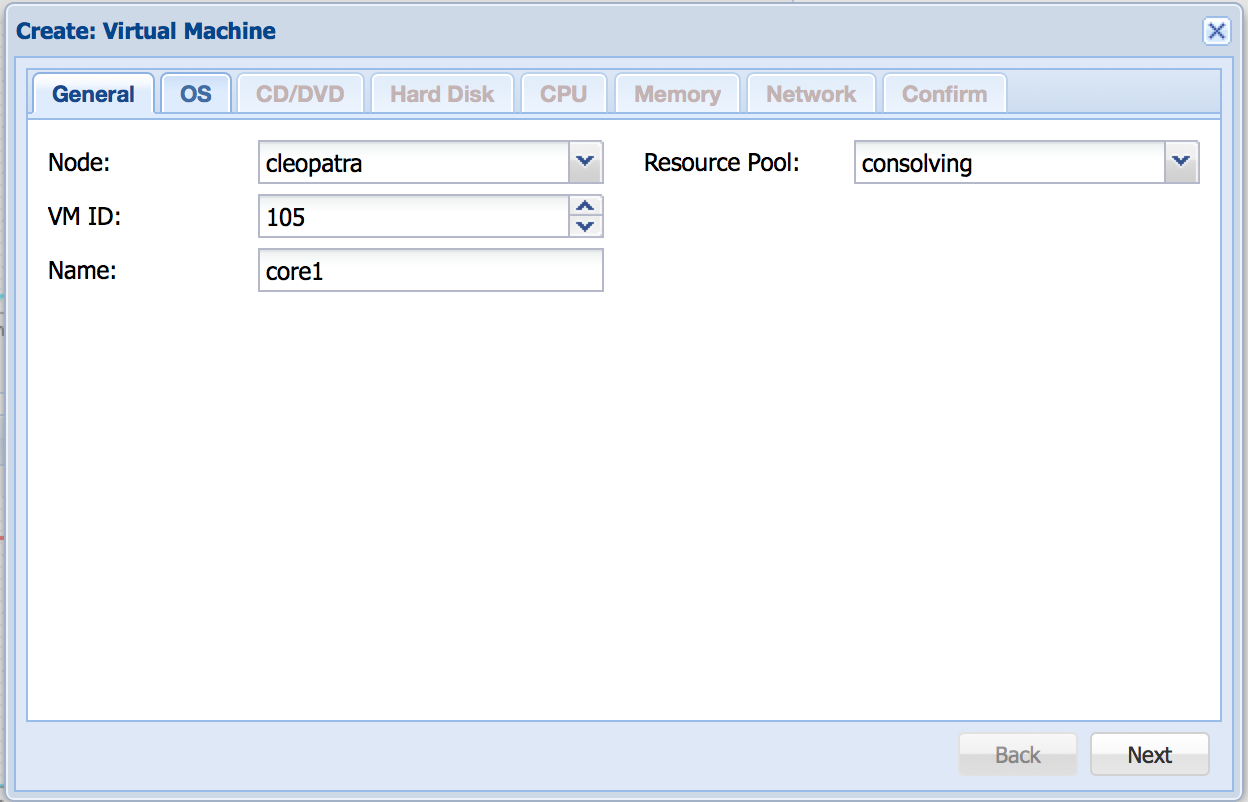
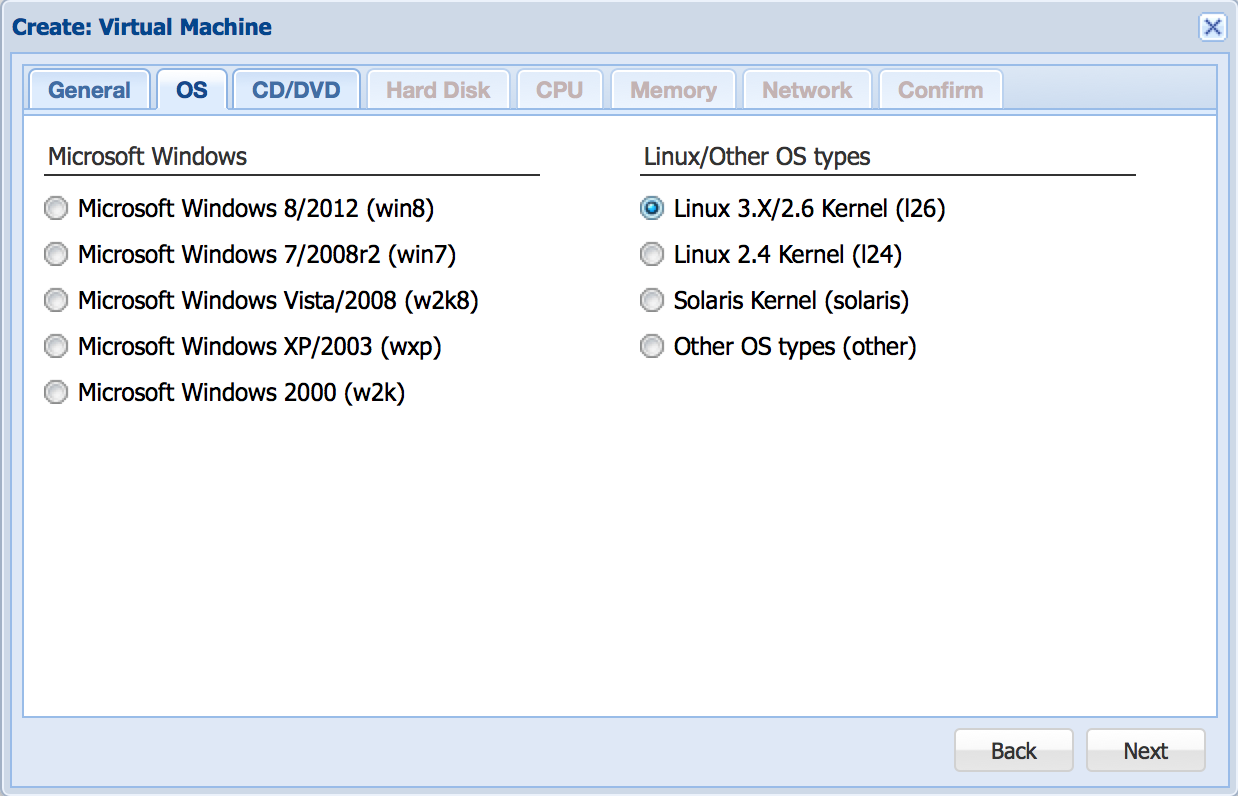
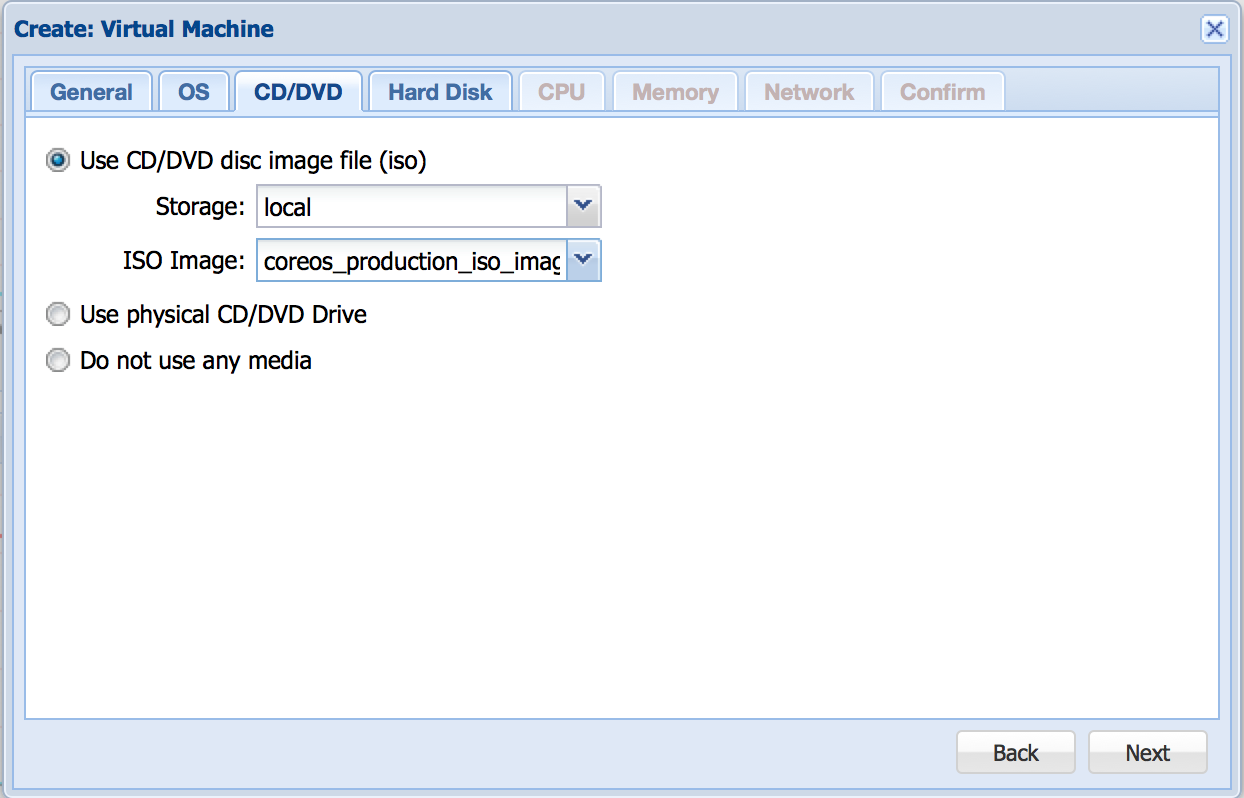
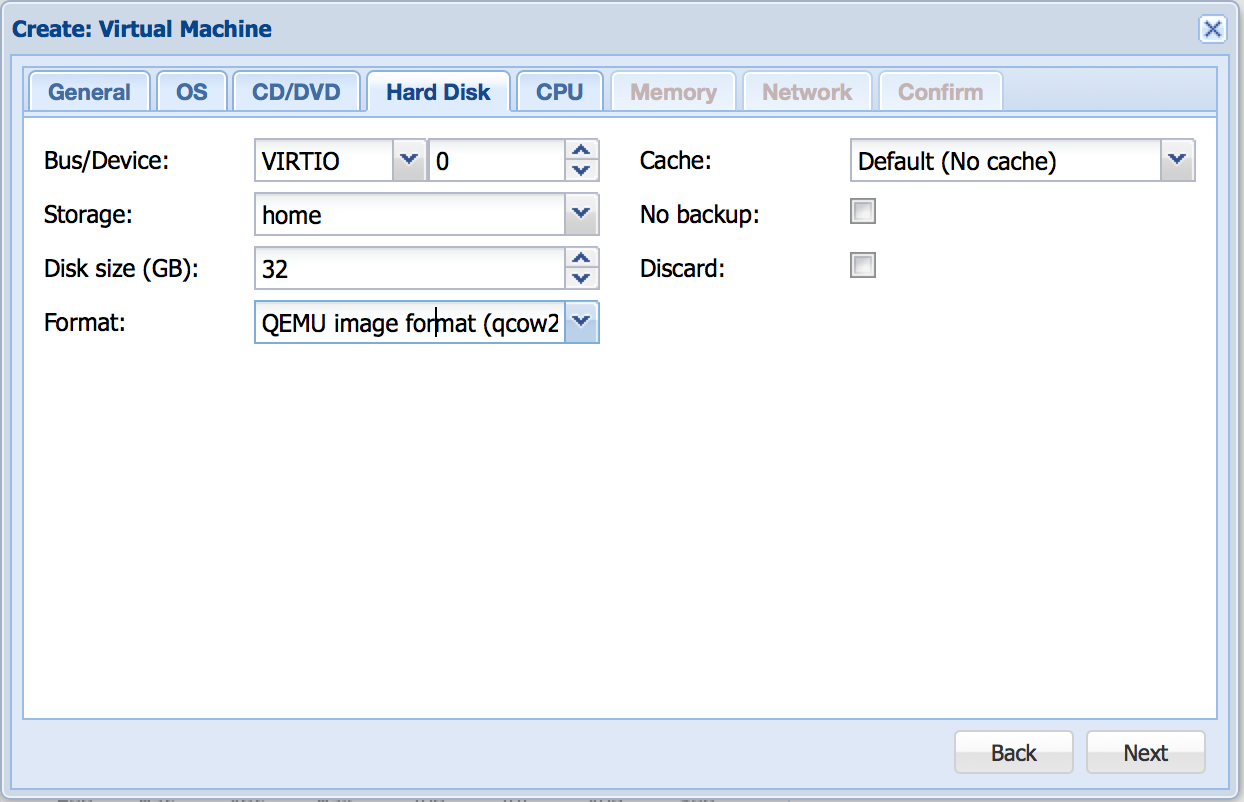
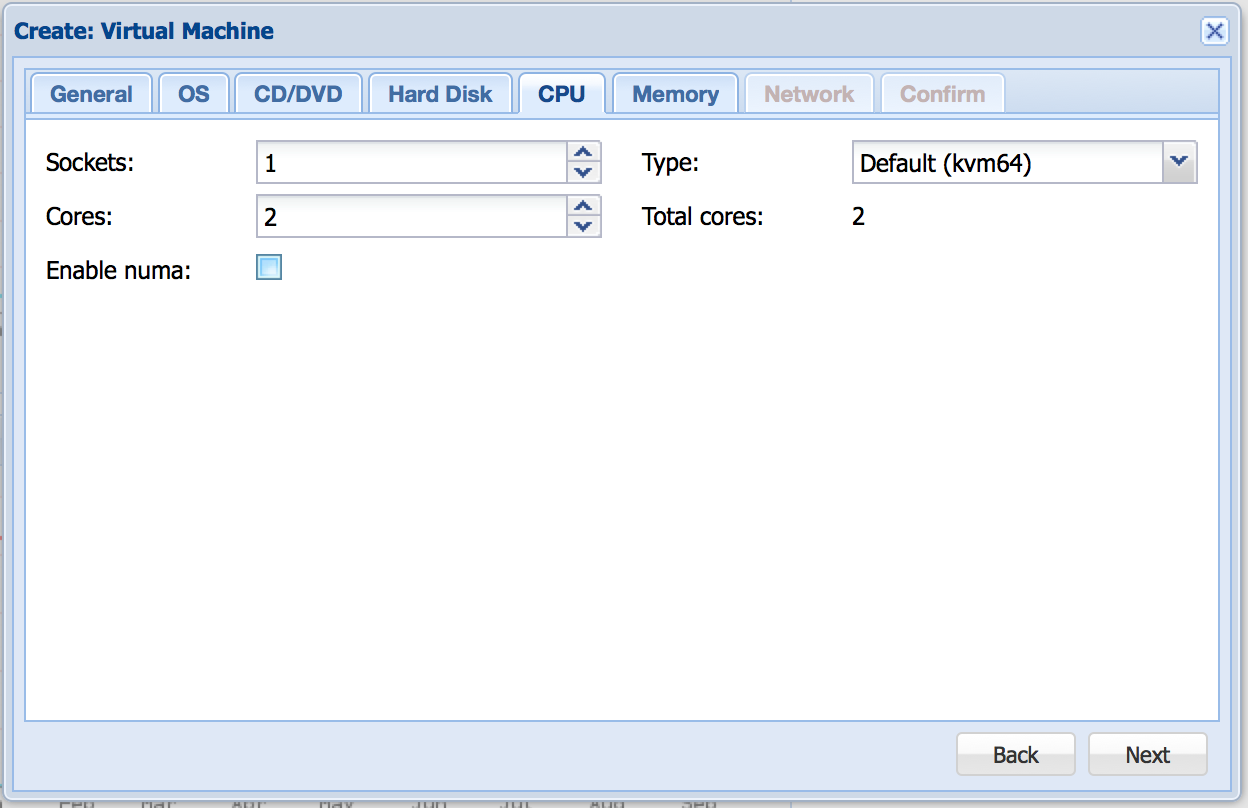
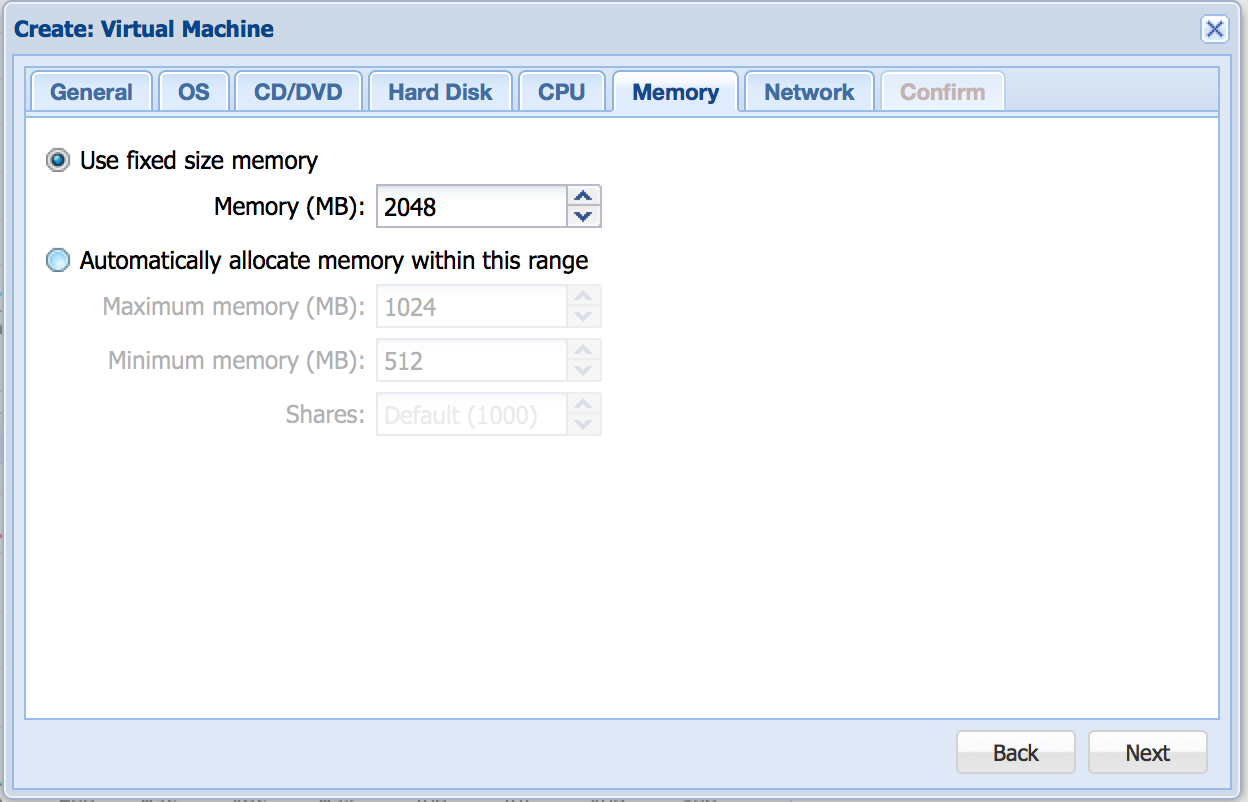
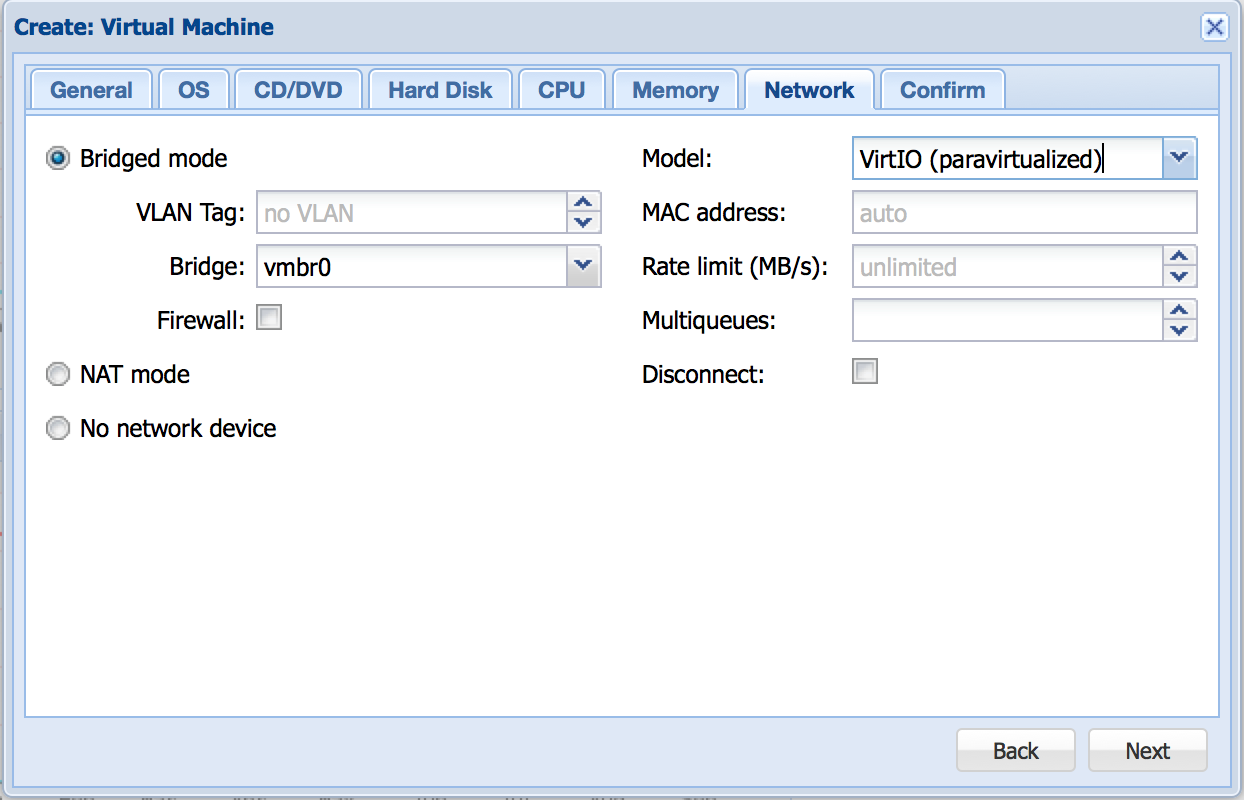

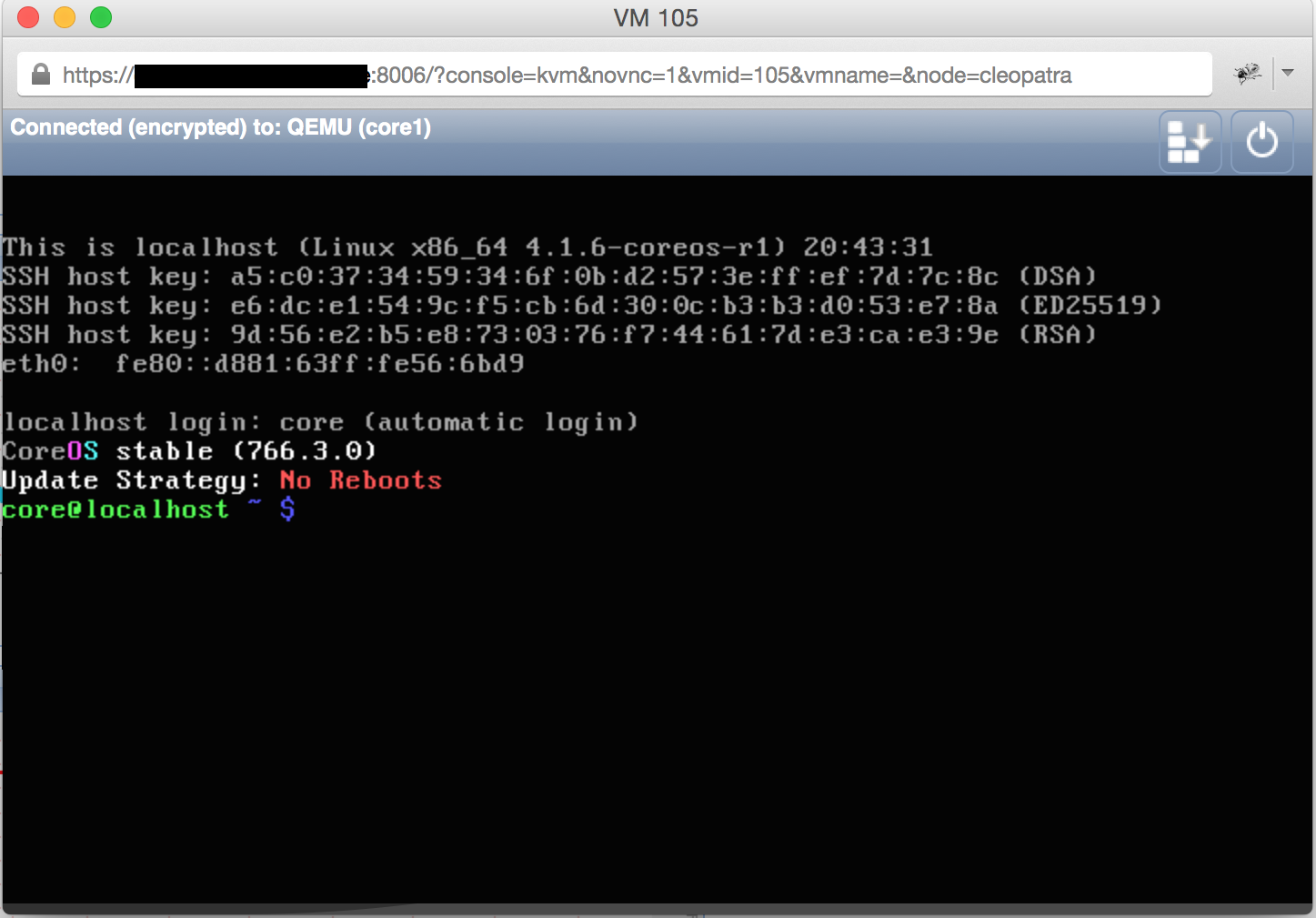
Now start you VM and open the Console:
Preparations
Downlaod the CoreOS ISO
[user@proxmox]# pwd
/var/lib/vz/template/iso
[user@proxmox]# wget http://stable.release.core-os.net/amd64-usr/current/coreos_production_iso_image.iso
Note your public SSH Key
[user@proxmox]# cat ~/.ssh/id_rsa.pub
becoming root
coreos ~ # sudo su - root
update the root password
coreos ~ # passwd
Setup the basic Network.
coreos ~ # ifconfig eth0 10.10.0.111 netmask 255.255.255.0 up
SSH into your system
[root@cleopatra iso]# ssh root@10.10.0.111
The authenticity of host '10.10.0.111 (10.10.0.111)' can't be established.
RSA key fingerprint is XX:XX:XX:XX:XX:XX:XX:XX:XX:XX:XX:XX:XX:XX:XX:XX.
Are you sure you want to continue connecting (yes/no)? yes
root@10.10.0.111's password:
CoreOS stable (766.3.0)
Update Strategy: No Reboots
Finish Network Configuration
coreos ~ # route add default gw 10.10.0.1
coreos ~ # echo "nameserver 8.8.8.8" > /etc/resolv.conf
Installation
see https://coreos.com/os/docs/latest/installing-to-disk.html
Download Config Template
coreos ~ # wget https://gist.githubusercontent.com/phaus/e52241b66576d4484f6f/raw/9032faaa69bc05ebc8b08efb518f2a90bfef4dca/coreos1-config-coreos.yml
Adjust the Configuration as required
coreos ~ # cat coreos1-config-coreos.yml
#cloud-config
hostname: "coreos1"

# include one or more SSH public keys
ssh_authorized_keys:
  - ssh-rsa XXX

coreos:

  units:
    - name: systemd-networkd
      command: stop
    - name: 00-static.network
      runtime: true
      content:  |
        [Match]
        Name=eth*
        [Network]
        Gateway=10.10.0.1
        Address=10.10.0.111/24
        DNS=8.8.8.8
    - name: systemd-networkd
      command: start
    - name: etcd2.service
      command: start
    - name: fleet.service
      command: start
Replace XXX with your public SSH Key.
Install CoreOS to /dev/vda (it is vda since VirtIO Device are mapped to vdX)
coreos ~ # coreos-install -d /dev/vda -C stable -c ~/coreos1-config-coreos.yml
Checking availability of "local-file"
Fetching user-data from datasource of type "local-file"
Downloading the signature for http://stable.release.core-os.net/amd64-usr/766.3.0/coreos_production_image.bin.bz2...
2015-09-28 20:59:39 URL:http://stable.release.core-os.net/amd64-usr/766.3.0/coreos_production_image.bin.bz2.sig [543/543] -> "/tmp/coreos-install.2oAX9KwZlj/coreos_production_image.bin.bz2.sig" [1]
Downloading, writing and verifying coreos_production_image.bin.bz2...
2015-09-28 21:00:09 URL:http://stable.release.core-os.net/amd64-usr/766.3.0/coreos_production_image.bin.bz2 [195132425/195132425] -> "-" [1]
gpg: Signature made Wed Sep  2 04:32:09 2015 UTC using RSA key ID E5676EFC
gpg: key 93D2DCB4 marked as ultimately trusted
gpg: checking the trustdb
gpg: 3 marginal(s) needed, 1 complete(s) needed, PGP trust model
gpg: depth: 0  valid:   1  signed:   0  trust: 0-, 0q, 0n, 0m, 0f, 1u
gpg: Good signature from "CoreOS Buildbot (Offical Builds) <buildbot@coreos.com>" [ultimate]
gpg: Note: This key has expired!
Primary key fingerprint: 0412 7D0B FABE C887 1FFB  2CCE 50E0 8855 93D2 DCB4
     Subkey fingerprint: EEFA 7555 E481 D026 CC40  D8E6 A5A9 6635 E567 6EFC
Installing cloud-config...
Success! CoreOS stable 766.3.0 is installed on /dev/vda
Check your Installation
coreos ~ # mount /dev/vda9 /mnt
coreos ~ # cd /mnt/
Please keep in mind, that most of the Configuration will take place during the first boot of your new Instance.
Time for a Shutdown
coreos ~ # shutdown -h now
PolicyKit daemon disconnected from the bus.
We are no longer a registered authentication agent.
Connection to 10.10.0.111 closed by remote host.
Connection to 10.10.0.111 closed.
First Boot
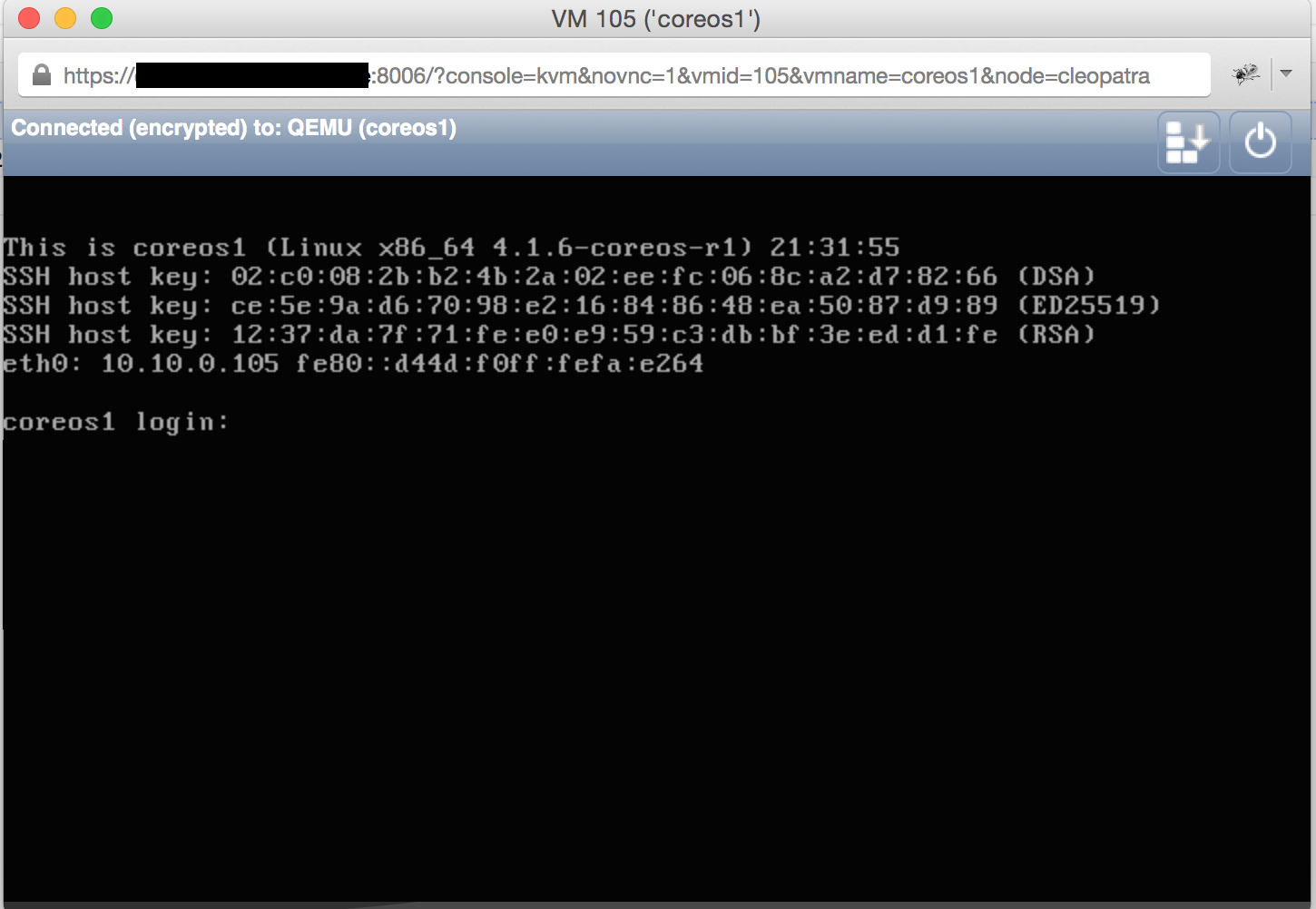
Start the VM again (this time it should boot from the internal disk – you can also remove the ISO File, just to be sure). Also the Node should apply the correct Network Configuration.
You should see something like this:
SSH into your new node
[root@cleopatra iso]# ssh core@10.10.0.105
You might get this Warning:
@@@@@@@@@@@@@@@@@@@@@@@@@@@@@@@@@@@@@@@@@@@@@@@@@@@@@@@@@@@
@    WARNING: REMOTE HOST IDENTIFICATION HAS CHANGED!     @
@@@@@@@@@@@@@@@@@@@@@@@@@@@@@@@@@@@@@@@@@@@@@@@@@@@@@@@@@@@
IT IS POSSIBLE THAT SOMEONE IS DOING SOMETHING NASTY!
Someone could be eavesdropping on you right now (man-in-the-middle attack)!
It is also possible that a host key has just been changed.
The fingerprint for the RSA key sent by the remote host is
xx:xx:xx:xx:xx:xx:xx:xx:xx:xx:xx:xx:xx:xx:xx:xx.
Please contact your system administrator.
Add correct host key in /root/.ssh/known_hosts to get rid of this message.
Offending RSA key in /root/.ssh/known_hosts:13
RSA host key for 10.10.0.111 has changed and you have requested strict checking.
Host key verification failed
That is fine, since the CoreOS Host just changed it’s SSH Host Key. Just remove the problematic line (in this case line 13) from you /root/.ssh/known_hosts.
After that you should be fine:
[user@proxmox]# ssh core@10.10.0.111
Last login: Tue Sep 29 08:50:48 2015 from 10.10.0.1
CoreOS stable (766.3.0)
Failed Units: 1
  user-cloudinit@var-lib-coreos\x2dinstall-user_data.service
core@coreos1 ~ $ sudo -s
coreos1 core #
Now we need to fix the Configuration. Before that, we should create two more CoreOS Hosts to have a Cluster ready.
Hello,
Many thanks for this article, it help me about static route for coreOS.
I’ve a question, i use ESXi, so my coreOS need static route to work properly. I don’t know why, but my routes won’t up …
It work with the command “route add …” but when i install coreos, route has disappear so i can’t ping coreOS and i must re install again. I’ve you got the solution ?
If you can e-mail me, i can provide you my yaml, thanks in advance !
Hi Charly,
So you installed CoreOS as a VM on a ESXi Host?
Did you had a look here?
https://coreos.com/os/docs/latest/booting-on-vmware.html
Normally it should be enough to set the correct Gateway in the CoreOS YAML Config.
Are you able to ping the GW from within your CoreOS VM? Can you ping the CoreOS VM from your Host System?
Hi,
Thank for quick reply.
–> Are you able to ping the GW from within your CoreOS VM?
I don’t know because i can’t login without internet connection on the VM
–> Can you ping the CoreOS VM from your Host System?
No i can’t
http://pastebin.com/0XgCcbp4
Thanks again
hello bro..
How to use IP Public on coreos..thanks