Written by Philipp on 2014-06-22
Writing Munin Plugins pt2: counting VPNd Connections
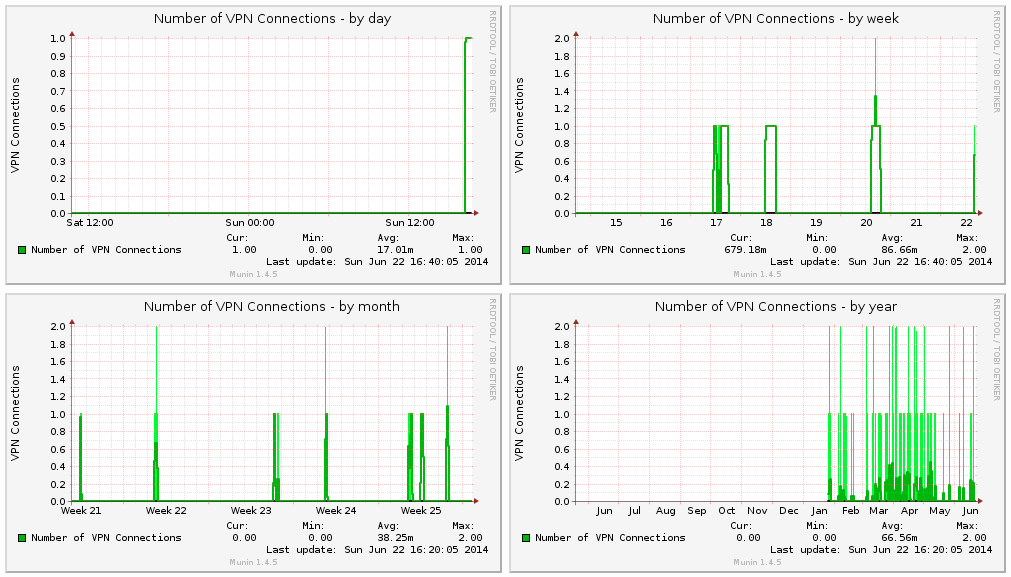
Mac . Network . Perl . ToolingPreamble Every Munin Plugin should have a preamble by default: #!/usr/bin/env perl # -*- perl -*- =head1 NAME dar_vpnd a Plugin for displaying VPN Stats for the Darwin (MacOS) vpnd Service. =head1 INTERPRETATION The Plugin displays the number of active VPN connections. =head1 CONFIGURATION No Configuration necessary! =head1 AUTHOR Philipp Haussleiter <philipp@haussleiter.de> (email) =head1 LICENSE

Written by Philipp on 2014-06-22
Writing Munin Plugins pt1: Overview
Bash . Mac . NetworkWriting your own Munin Plugins Around February this year, we at innoQ had the need for setting up a Mac OS based CI for a Project. Besides building of integrating some standard Java Software, we also had to setup an Test Environment with Solaris/Weblogic, Mac OS for doing a CI for an iOS Application and

Written by Philipp on 2014-02-09
Managing Mac OS Software with Munki and Subversion
Mac . TechAt the Lisa ’13, some folks from Google did a talk how they managing all their Desktop (and Server?) Macs at Google. Besides obvious things (like using Puppet), they mentioned another Tool, Munki, for rolling out Software and Software Updates to different Clients. Since i am using several Mac Machines (Laptop, Workstation and some VMs)
Written by Philipp on 2013-09-09
Plotting UNIX Processes with D3
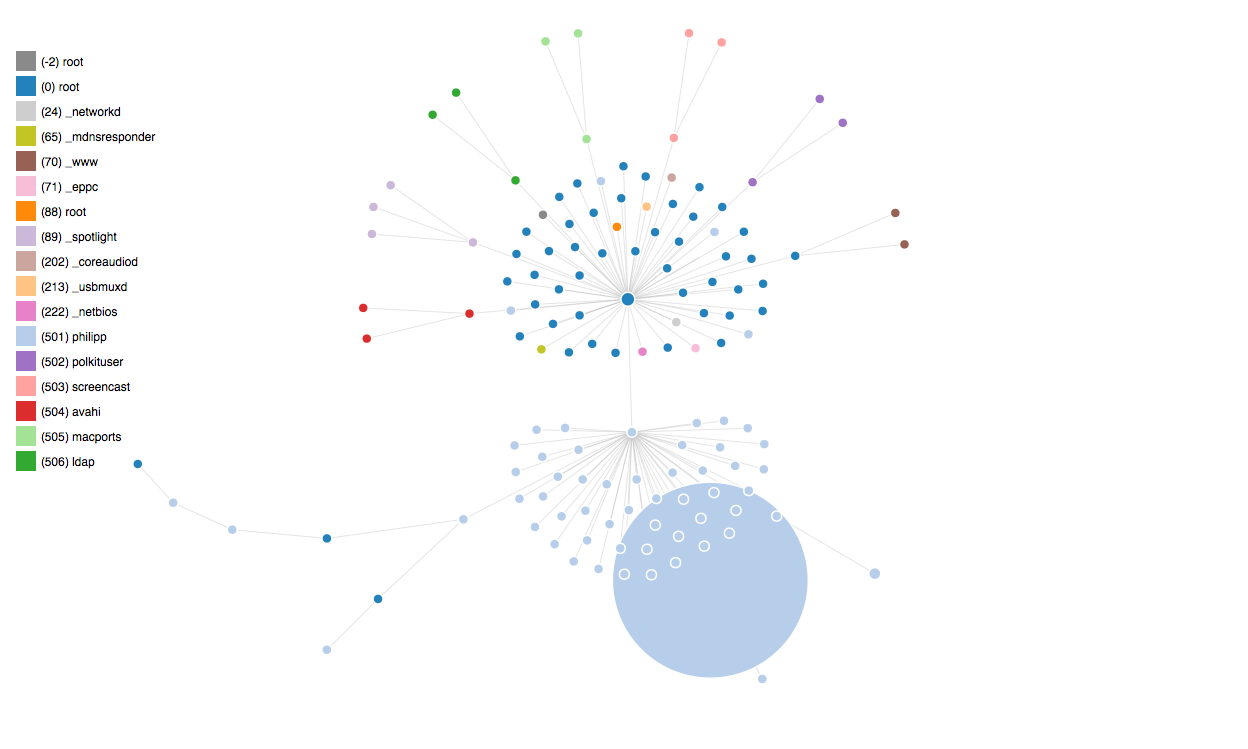
Graphics . JavascriptI created another Plot, using D3js: You can find all Scripts here. I am still have to figure out how to do graph updates and add label to the nodes.

Written by Philipp on 2013-09-03
Plotting UNIX Processes with DOT
Graphics . Javascript . ToolingInspired by this Post this post, I started playing around with ps, nodejs and GraphViz. After reading some ps man Pages, i found the necessary ps parameters. For MacOS i used ps -A -c -o pid,ppid,pcpu,comm,uid -r For Linux i used ps -A -o pid,ppid,pcpu,comm,uid You then get some Output like: PID PPID %CPU COMMAND

Written by Philipp on 2013-08-04
Build and Test Project TOX under MacOS
Build . Hacking . Network . ToolingSome Steps to do You need to have XCode with installed CLI Tools (see here) If you are using MacPorts (you really should), you need to install all necessary Dependencies: port install libtool automake autoconf libconfig-hr libsodium cmake Checkout the Project TOX Core Repository: git clone –recursive https://github.com/irungentoo/ProjectTox-Core.git cd ProjectTox-Core cmake . make all You

Written by Philipp on 2013-08-01
Downgrading Subversion from 1.8 to 1.7 in MacPorts
Snippets . Toolingbash-3.2# cd /tmp bash-3.2# svn co http://svn.macports.org/repository/macports/trunk/dports/devel/subversion –revision 108493 A subversion/files A subversion/files/patch-Makefile.in.diff A subversion/files/patch-osx_unicode_precomp.diff A subversion/files/config_impl.h.patch A subversion/files/servers.default A subversion/Portfile Ausgecheckt, Revision 108493. bash-3.2# cd subversion/ bash-3.2# port install —> Computing dependencies for subversion —> Fetching archive for subversion —> Attempting to fetch subversion-1.7.10_1.darwin_12.x86_64.tbz2 from http://mse.uk.packages.macports.org/sites/packages.macports.org/subversion —> Attempting to fetch subversion-1.7.10_1.darwin_12.x86_64.tbz2.rmd160 from http://mse.uk.packages.macports.org/sites/packages.macports.org/subversion …

Written by Philipp on 2013-07-28
Adding LDAP Authentication to a Play! 2 Application
Hacking . Java . Play! Framework . ToolingAs of Play! 1 is not really supported anymore, i will describe the steps for accessing Data from your LDAP Directory with your Play! 2 with this Post. Prerequisites As also mentioned in my last Post, for this example we are using the Vagrant vagrant-rundeck-ldap VM, I already mentioned here. Setup After you setup a

Written by Philipp on 2013-07-28
Adding LDAP Authentication to a Play! 1 Application
Hacking . Play! Framework . ToolingYou will often find yourself in a situation where you need a public and a private (normally some Administration) Area in your application. This Post is about how easy you can access User Data stored in you companies LDAP Directory with a public availible Library in a Play! 1 Application. I will also give you

Written by Philipp on 2013-07-01
Nice Vagrant Script for setting up a LDAP VM for Testing
Snippets . TestingI found a nice Setup Script at https://github.com/gschueler/vagrant-rundeck-ldap for creating a working LDAP VM with a basic vagrant up You just need to do some more steps before: make sure you have installed Version 4.2.12 of Virtualbox! (the latest version – 4.2.14 – breaks vagrant) get your vagrant setup from here download the necessary ubuntu